Skip to contentCreate a Folder
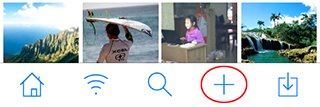
- Open a folder and tap + to create a new folder.
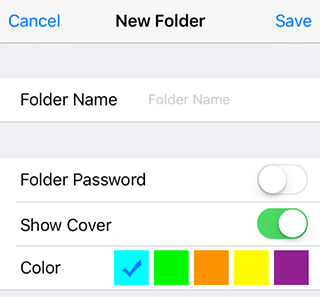
- Choose a name and color. You can also add a password when needed.
Edit a Folder
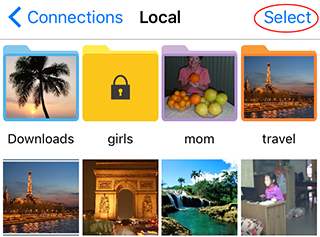
- Tap Select.
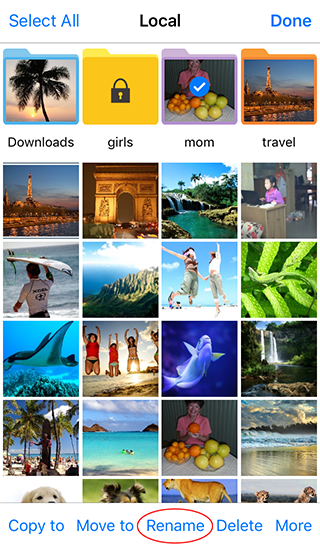
- Choose the folder you want to edit.
- Tap Rename.
- Update the folder name, color, or password.
Copy or Move Folders
- Open a folder and tap Select.
- Select the folders.
- Tap Copy to or Move to in the toolbar.
- Choose the destination folder when the location picker appears.
Delete Folders
- Open a folder and tap Select.
- Select the folders you want to delete.
- Tap Delete in the toolbar.