FTP Transfer
Photo Manager Pro includes an FTP server for transferring entire folders between your computer and the app.
- Connect your iPhone or iPad and computer to the same Wi-Fi network.
- Open a local folder and tap the Wi-Fi button to start the built-in FTP server.
- Open an FTP client on your computer and connect to the server. We recommend FileZilla.
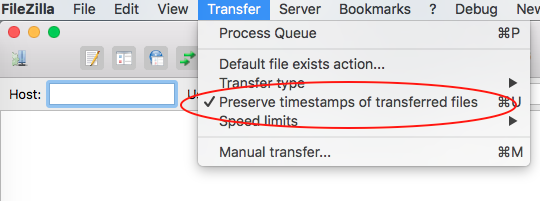
- To preserve file timestamps, select Preserve timestamps of transferred files in your FTP client.
- Once connected, upload and download photos as needed.

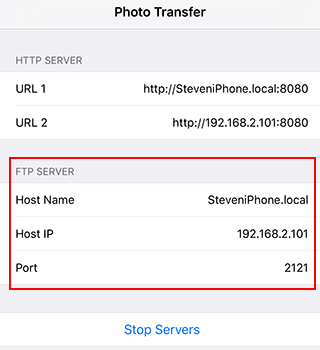
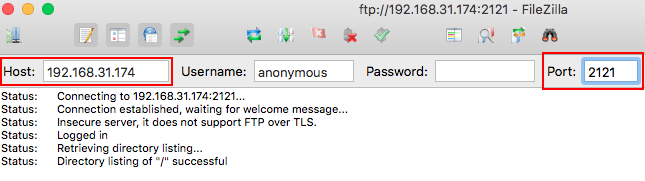
If the host name does not work, use the host IP address instead. The FTP port is 2121.