
iTunes File Sharing
- Connect your iPhone or iPad to the computer.
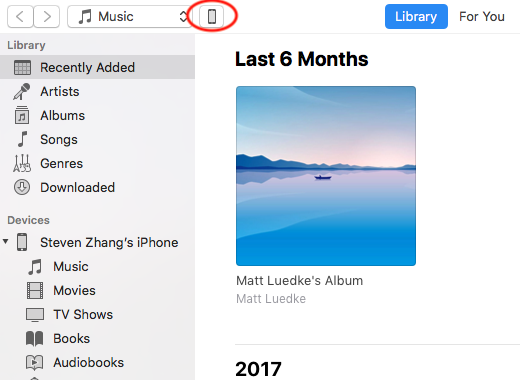
- Open iTunes and select your iPhone or iPad.
- Select File Sharing in the left sidebar.
- Scroll to the File Sharing section.
- Drag folders or photos from Finder or Windows File Explorer to FileExplorer Documents.
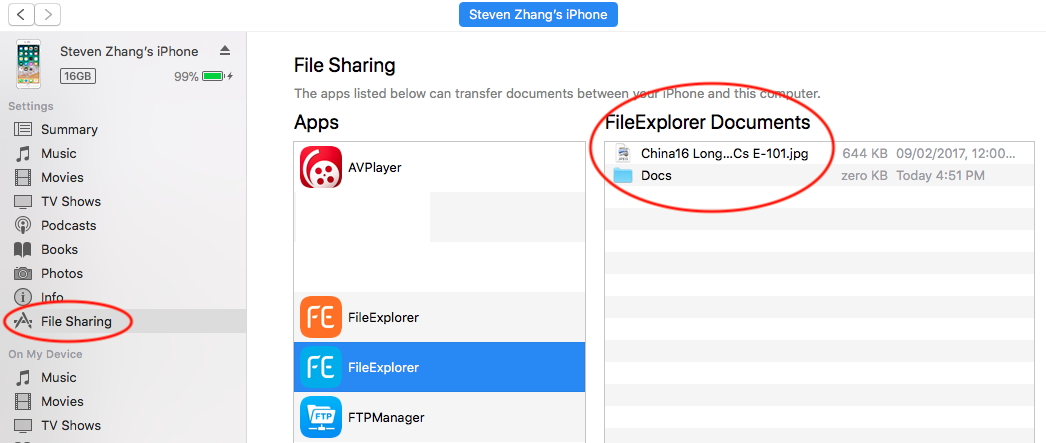
Files copied through iTunes are available in FE File Explorer > My Files > On My iPhone/iPad.