
Settings for Time Capsule
You can use these steps for an AirPort Time Capsule or an AirPort Extreme with an attached USB drive.
- Make sure the AirPort device is connected to your local network.
- Open AirPort Utility on your Mac.
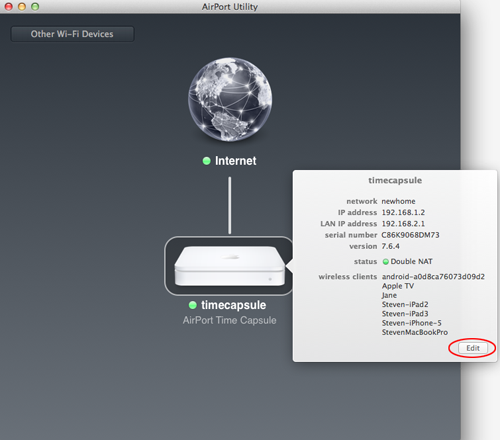
- Select the device and click Edit.
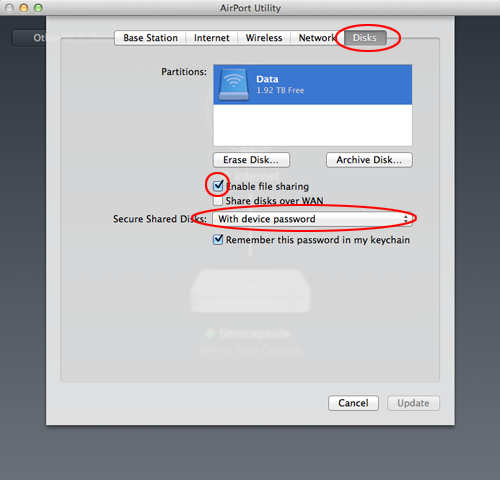
- Open the Disks tab and turn on Enable file sharing.
- Choose how to secure the shared disks, then update the device.
If you secure the share with a device password or disk password, enter Apple as the username when you connect from Owlfiles.