Skip to content
FE File ExplorerThe one-stop files solution
HomeiOS guidemacOS guide
English
EnglishDeutsch日本語中文
Menu
HomeiOS guidemacOS guide
EnglishDeutsch日本語中文
macOS User Guide/Manage Connections
In this guideSet Up a ConnectionManage ConnectionsSettings for MacSettings for Windows 11Settings for Windows 10Settings for Windows 7/8Settings for Windows XPSettings for Time CapsuleNearby File TransferSync Files

Manage Connections

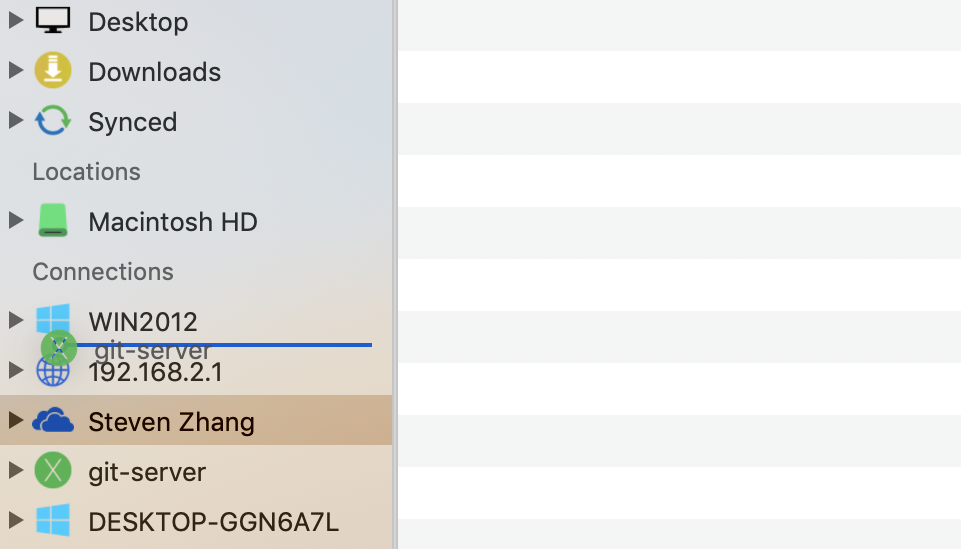
Reorder Connections

  1. Drag a connection.
  2. Drop it in the position you want.

Dragging a saved connection to a new position

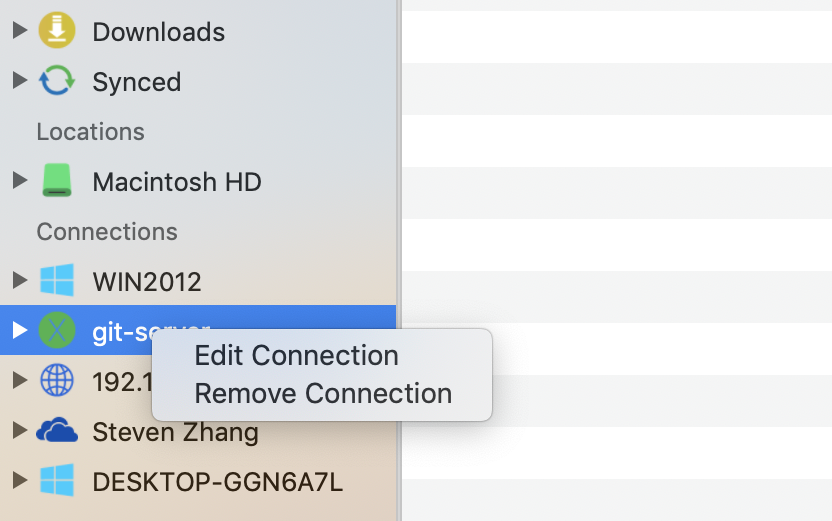
Edit or Delete a Connection

  1. Right-click the connection name.
  2. Select Edit Connection or Delete Connection.

The connection context menu in FE File Explorer for macOS

Previous← Set Up a ConnectionNextSettings for Mac →

Contact usPrivacy Policy
Copyright © Skyjos Ltd. All rights reserved.上海欧丸信息科技有限公司版权所有 保留所有权利沪ICP备17046437号-1沪公网安备 31011502008831