
File transfer
Transfer photos
Transfer photos from your Android device to a computer, NAS, or cloud storage.
- Open Camera Roll in the My Files tab.
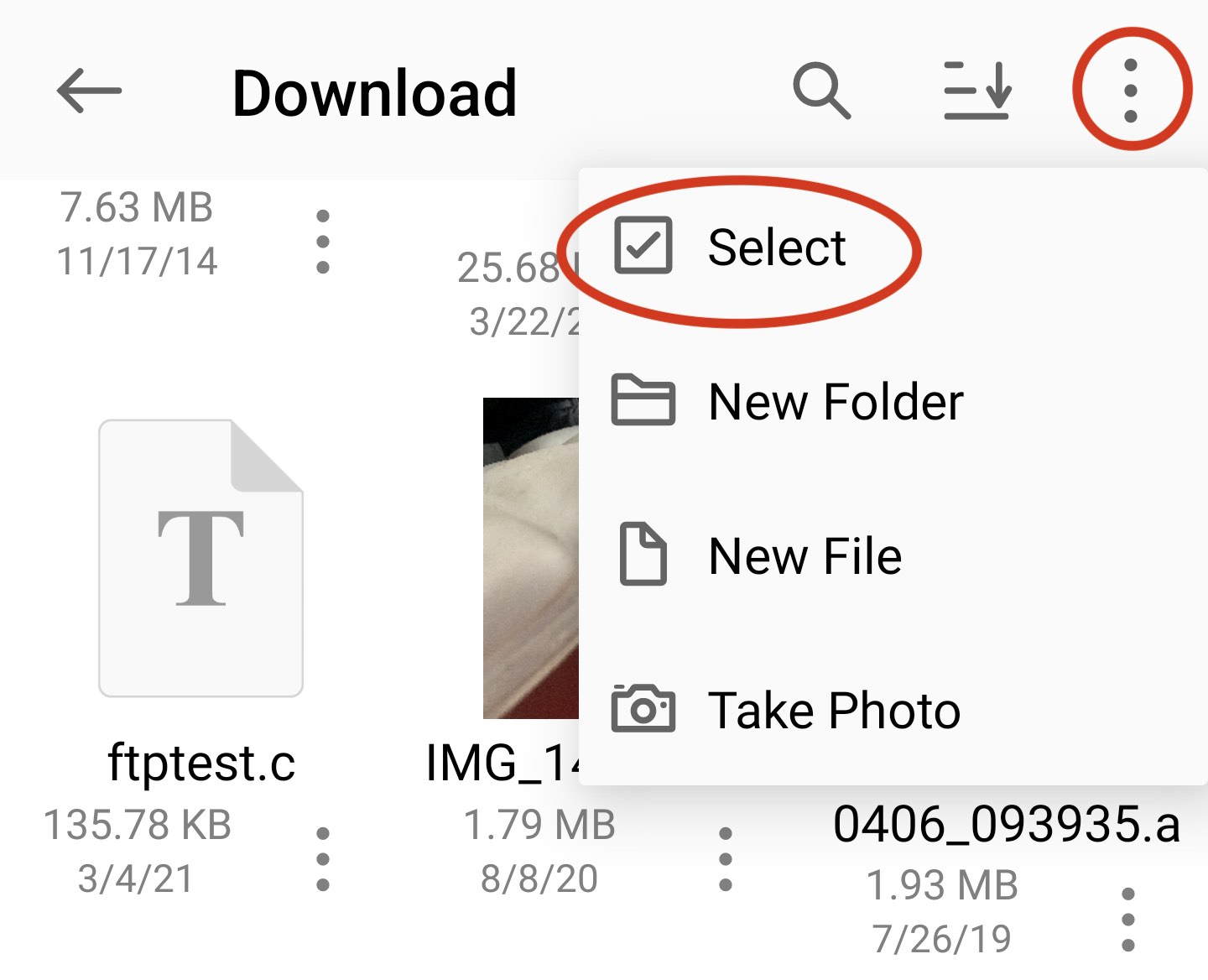
- Tap Select in the action menu.
- Select the photos you want to copy.
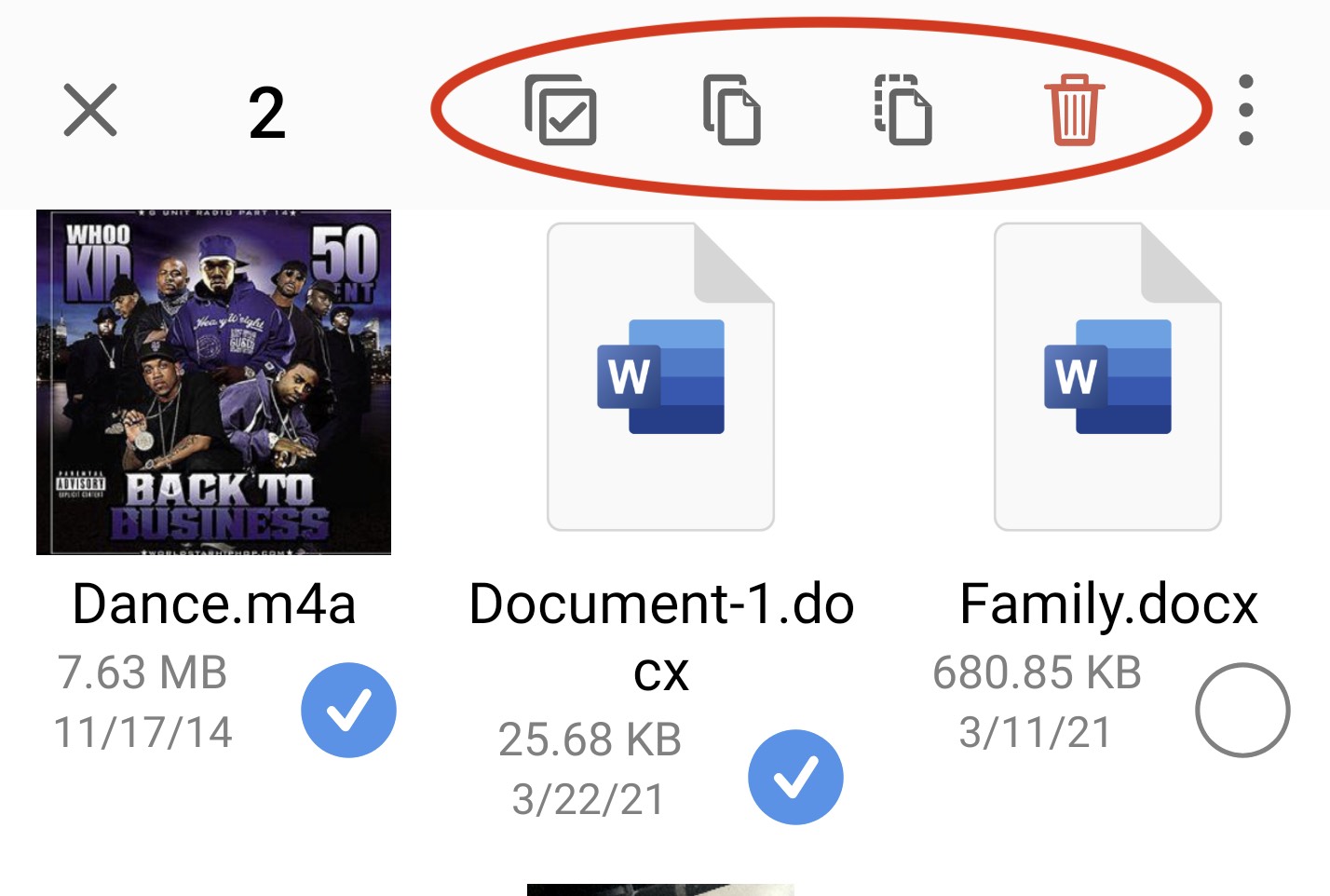
- Tap Copy in the toolbar.
- Select the destination folder.
- Tap Save.
Transfer files
You can transfer files between your Android device, computers, NAS devices, and cloud storage.
- Open the folder containing the files.
- Tap Select in the action menu.
- Select the files you want to transfer.
- Tap Copy in the toolbar.
- Select the destination folder.
- Tap Save.