Skip to content
- Open FTPManager on your iPhone or iPad.
- Tap + in the upper-right corner.
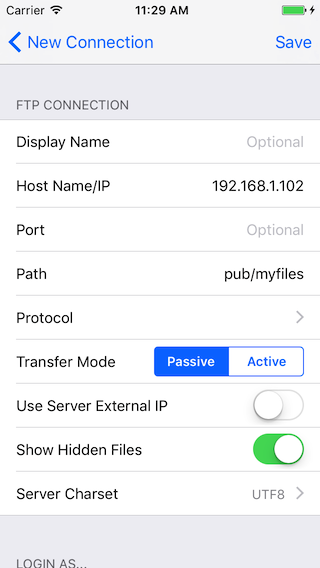
- Enter the FTP server address in the HostName/IP field.
- Leave Port blank when the server uses its default port.
- To open a specific folder directly, enter it in the Path field.
- Choose the server’s Protocol. FTPManager supports Plain FTP, Explicit FTP over TLS, Implicit FTP over TLS, and SFTP.
- Enter the username and password used to sign in to the server. If you leave both fields blank, FTPManager attempts an anonymous login.
- Enter an optional display name. If left blank, FTPManager uses the server address as its display name.